
I have learned allot about the positioning of everything, which is key to making a good looking magazine. Using certain page harmony and conventional layouts makes the magazine look much more professional, it does not have to follow it to every pixel, but the general conventional layout is what lets people know that it is a real magazine. Whilst using these technologies, I did also learn how to correctly position lights against the backdrop we were using in the studio, so that there would be no hard shadows showing up which I would of had to later key out in Photoshop, which made things allot easier.
Photoshop was used for the most part, using it and utilizing skills in the program to achieve some good looking results, a variety of tools and techniques were used in order to make the magazine cover, contents and DPS. Though prior to this, I've had roughly 7 years of experience with it, so it's fair to say that I know my way around...
I also used Adobe After Effects for some of the elements, I did make a few different titles using a plugin that comes stock with After Effects, Fractal Noise (blocks) and alpha channels, but ended up just using the one I'd already made with the text and eraser in Photoshop, which I think works nicely with the title 'Phantom' its self.
I was also intending on using 3D software such as 3DS Max to add some sort of 3D element to the magazine, but I didn't bother when I realized I hadn't yet installed it on the new Windows 7 OS (Upgraded from Win 8)
Here's umm, some of the kit that I've used... (Cue nerdtalk)
My excuse is that I do VFX, Motion GFX, 3D Modeling and Compositing.

The computers, home and at school. The school computers had all the necessary programs installed for me to be able to produce the magazine, and I could also take the work home (Using Google Drive) and work on it at home, as my computer also had the programs, and the hardware to do so.

Photoshop for the most part. This was used to produce most of the magazine, editing and keying of all the photos, and the final composition.

A tripod. Very helpful. I used the tripod for some of the photos, and some of the photos I did not, as the shutter was high enough to prevent any human caused motion blur. And this allowed me to change the camera horizontal, so that the model was at a higher resolution than if it were to be landscape. Tripods also make outstanding spider killer weapons.

A camera was used for... you guessed it! Taking photos! I used a Nikon D3200 which was provided by the media department to take photos, and because we were in the studio, which was already correctly lit up by the studio lighting and backdrop, (nerdtalk inbound.) I made sure to setup the camera accordingly, I change the settings so that the ISO was very low, and the shutter speed was set very high, this made it so that the shutter (the black blinds that go over and reveal lines of the sensor inside the camera) come down really quickly, printing the image onto the sensor (the sensor is the part at the back of the camera that converts the light from the lens, into a digital image.) The reason I did this is to prevent any human caused motion blur (which happens when the shutter reveals the sensor for too long, and the scene / camera moves while it is open.) And it allowed me to take the camera off the tripod and take photos using a steady hand for at least 1/300th of a second. Our group was also one of the first to use the camera, so it was setup correctly for the people after us to simply push a button and take photos.
If that's all way too nerdy and complicated. I basically setup the camera up so it took photos REALLY. QUICKLY. Because it was a well lit scene.
.svg/2000px-Google_Chrome_icon_(2011).svg.png)
Google Chrome, the web browser, and the Google search engine were also used as a way of finding out information, the use of both technologies / services allowed me to have multiple tabs open, of which contained information for my magazine and research.

Animoto was used to make a video containing information about the magazine that I'll be making. Using templates that were already made.

Blogger was used to post the content you're currently browsing. With everyone being on Blogger, it made life a lot more simpler. We simply looked at what work needed doing on the teachers blog, and off we go. About as simple as it can get. I wish every department ever ran in this sort of fashion.

Google Drive was used to transfer any work or files that I needed, to any computer that had an internet connection, I used this to get my work from school to home, and vice versa, and because it was all online, there was no risk of losing any of the work that I had made.

After Effects is where my skills are the most, as this is where I started, I used this program to come up with some titles that you couldn't really produce in Photoshop. Because they're both Adobe programs, the pipeline between the two programs also came in handy. I was able to export compositions from After Effects and open them up in Photoshop just how they were. However I ended up not using the title I had made in After Effects, and stuck with the original one I made in Photoshop, as the style fit the name more. I did use After Effects to do things that Photoshop couldn't otherwise do.
.png)
YouGov was used to find out information about anything. I used it to find out what the audience was like in the Electro / EDM music genres, and found that it mostly consisted of young males. It came in very helpful with how the magazine should look, it was used in conjunction with UKTribes, which is a similar sort of thing.

Channel 4's UKTribes research was used in order to find out information about different 'tribes' or common types of people you see. Such as indies, trendies, and things of that nature. This came in useful as I could use this and see what my target market was into.
Scribd was used to publish any Word documents online. Blogger does not support Microsoft Word documents, of course, so Scribd was a much better alternative, and made it presentable, instead of messing up the layout due to bad format reading. It allowed me to also embed the document onto the Blog, which made things allot easier. It also prevents people from copying and pasting work, unless they live a dangerous life and scan it with a word reader such as Google Goggles, but shh.

Microsoft Word was also used alongside Scribd for making the initial documents. I could also upload these documents to Drive, so that I could work on them outside of school.
Microsoft Publisher was used to be able to take screenshots and make them more presentable, more preferable over Word, as it does not have the annoying, "No, the photo has to go here because I said so." feature that Word has to offer. Instead it allows you to position anything anywhere you want. And can also be uploaded to Drive and Scribd.
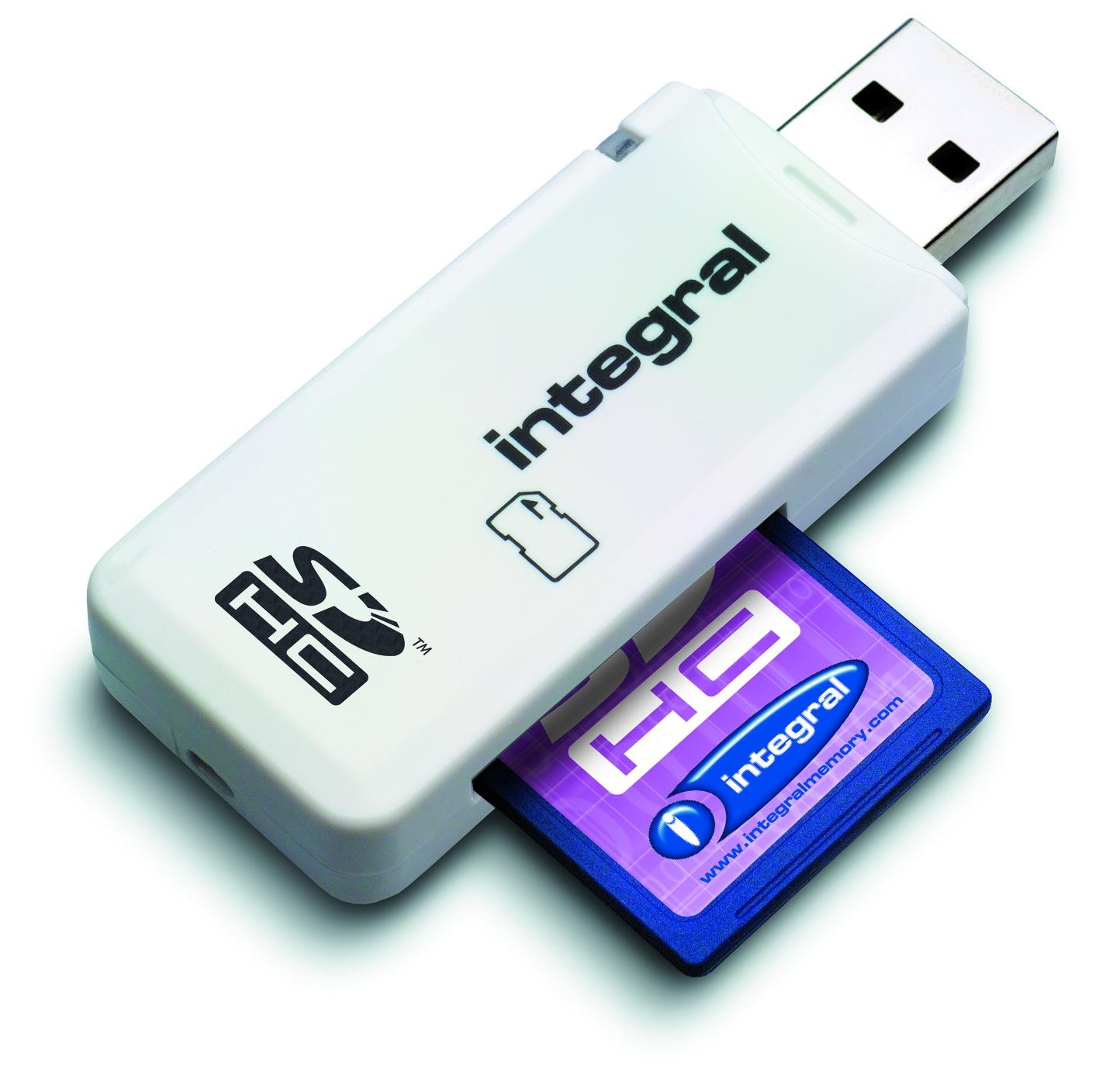
This is a super high contrast photo of a USB SD Card reader, this was used to get the photos from the SD Card that was in the Nikon D3200, and transfer them onto the computer, where we could then work on them.

Studio Lighting was used in order to illuminate the backdrop that was used. These particular lights had soft boxes on them (The black bit with a white interior that goes over the bulb), which diffuses the light and makes it less direct on the model. (The light is more spread out from the emitter, and so bounces around the scene more, making the shadows softer.) This prevented any hard shadows from appearing that we'd otherwise of had to of keyed out. These are often used in a studio in conjunction with a white backdrop as seen below, and are even commonly used on location when filming videos too. (Though a metallic sheet may also be used to softly reflect sunlight in a certain area.)
Here is the difference that a simple softbox makes.

I've put a circle in the most noticeable areas, and as you can see, the simple light alone without any softbox gives it very hard shadows, this is great if that's what you're after, however, we didn't want any hard shadows, we wanted soft shadows, which looks more professional in most cases, the use of a softbox gives us this affect. There are also many alternatives to a softbox, such as an umbrella, pocket box, indirect lighting, plastic diffusers, reflectors, and more.
A much simpler explanation of all this would be imagine the sun, when the sky is clear on a hot day, hard shadows are produced, but when it becomes very cloudy, the shadows become much more softer. So relating back to the lights, the sun is the light bulb / emitter, the clouds are the softbox.
...Just on a much bigger scale...

A white backdrop was used, much more preferable than having an entire rainbow of colors that'd we'd have to key out, which would make things messy unless it was intentional (like standing in front of a brick wall). The backdrop photo alone without any keying looks very professional, it was one of the most important elements to getting a professional looking photos of our models. The use of the backdrop without any of the lighting would of produced low quality images. (in terms of how good they look.) So I am grateful that there were studio lights available that we could use.

Be specific about what you learnt from each piece of technology.
ReplyDelete